
vCard QR code: a contact saved to the phone with one scan
Someone points the camera at your business card and the phone offers to save a contact with your name, job title, number and email. No typing, no mistakes in the digits.
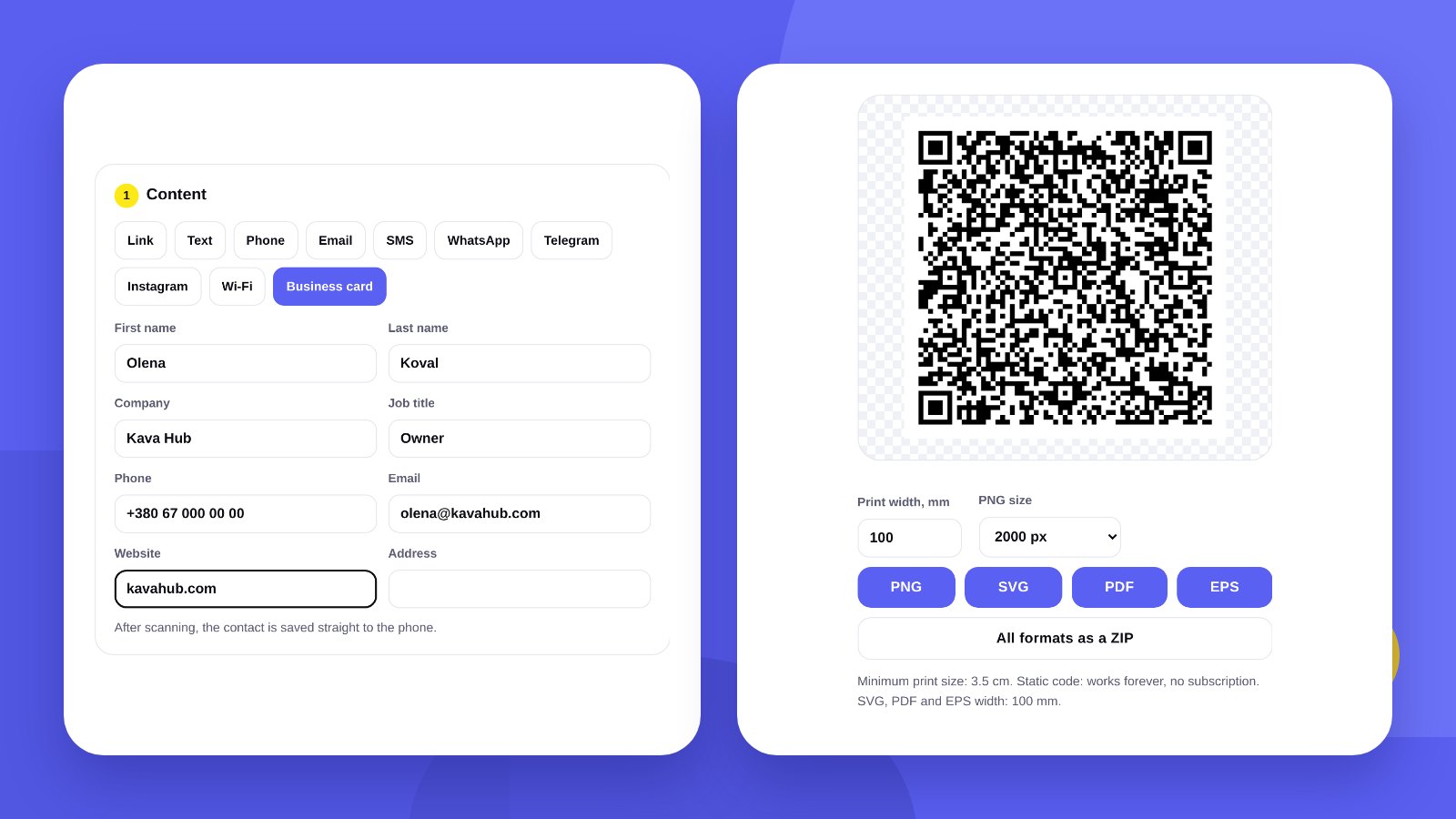
A paper business card often goes into a pocket and is forgotten. A contact saved in the phone stays. A vCard QR code connects the two: a person scans the code, the phone opens a ready contact card, and all that is left is to tap Save.
vCard is the standard electronic business card format. The iPhone address book, Android contacts and email apps all understand it.
- A vCard QR code saves a contact to the phone without typing.
- The code is static: it works offline and without a subscription.
- The fewer fields, the simpler the code and the easier it scans.
DetailsWhat you can put in a vCard
| Field | Tip |
|---|---|
| First and last name | The way people will look for you in contacts |
| Company | The brand name rather than the legal name – it is easier to recognise |
| Job title | Short: Owner, Sales manager |
| Phone | In international format with the country code |
| Your work address | |
| Website | A website or a social media page |
| Address | For a salon, shop or office |
Only one thing is required: a first name, last name or company. The rest is up to you.
How-toHow to make a vCard QR code: 4 steps
- Open the generatorGo to QR code with logo and choose the Business card tab.
- Fill in the fieldsFirst name, last name, company, job title, phone, email, website, address.
- Set the lookColour, module shape, a logo in the centre. The tool checks right away that the code scans.
- Download the fileSVG, PDF or EPS for printing business cards, PNG for presentations and email signatures.
ComparisonvCard or a link to a website
| vCard QR | QR with a link | |
|---|---|---|
| What happens | The phone offers to save a contact | A page opens |
| Internet | Not needed | Needed |
| Change details after printing | No, only with a new code | Yes, by editing the page |
| Code size | Larger: more data | Smaller |
If your details change often or you want to show a portfolio, social media and prices, a QR code with a link to a page is more convenient. If the point is to save a number to the phone, use vCard.
PlacementWhere to use a vCard QR code
- A regular business cardThe code on the back, your name and phone as text next to it.
- An event or conference badgeThe other person saves your contact while you talk.
- A stand and handoutsFlyer, brochure, roll-up banner.
- Email signature and presentationThe last slide with your contact.
PrintCode size on a business card
A vCard with every field holds a lot of data, so the modules are smaller than in a code with a short link. On a standard business card the code is usually 2–2.5 cm. The tool shows the minimum print size for each code.
If the code turns out too dense, remove optional fields – the address, for example. The code becomes simpler and scans more reliably.
HonestlyThe tool makes the code. We design the card in your brand style
The generator gives you a QR code. The business card itself is a logo, colours, typefaces and a layout in which the code does not look like an alien square.
We design business cards and other print materials in your brand identity: print design.
Before printing the run, scan the code on the proof with two different phones and check that the number was saved correctly.
FAQFrequently asked questions
What is a vCard?
The standard electronic business card format. iPhone and Android contacts and email apps understand it.
Is the internet needed to scan it?
No. All the details are written into the code itself.
Can I change the phone number after printing?
No. The details are stored in the code – new details need a new code.
Can I add a logo?
Yes. The logo goes in the centre, and the tool checks that the code still scans.
What size should the code be on a business card?
Usually 2–2.5 cm. The tool shows the exact minimum under the code.
Is the tool free?
Yes. No sign-up, all formats for free.
We design business cards and print materials in your brand identity and prepare them for print.
Make a vCard QR codeOrder print designHigh quality
Years of experience let us take on projects of any complexity
Individual approach
Every client is unique. We create a unique concept for each of them
Professionals
Everyone on our team has extensive experience in advertising, development and design
Fast turnaround
Logo design takes 2–8 business days
GET IN TOUCH
Message us on Telegram, Instagram or by email – we reply quickly and gladly.