
How to merge several PDF files into one and split a PDF into pages
A portal accepts one file and you have five scans. Or you need only two pages of a forty-page contract. How to join, split and extract PDF pages in a minute.
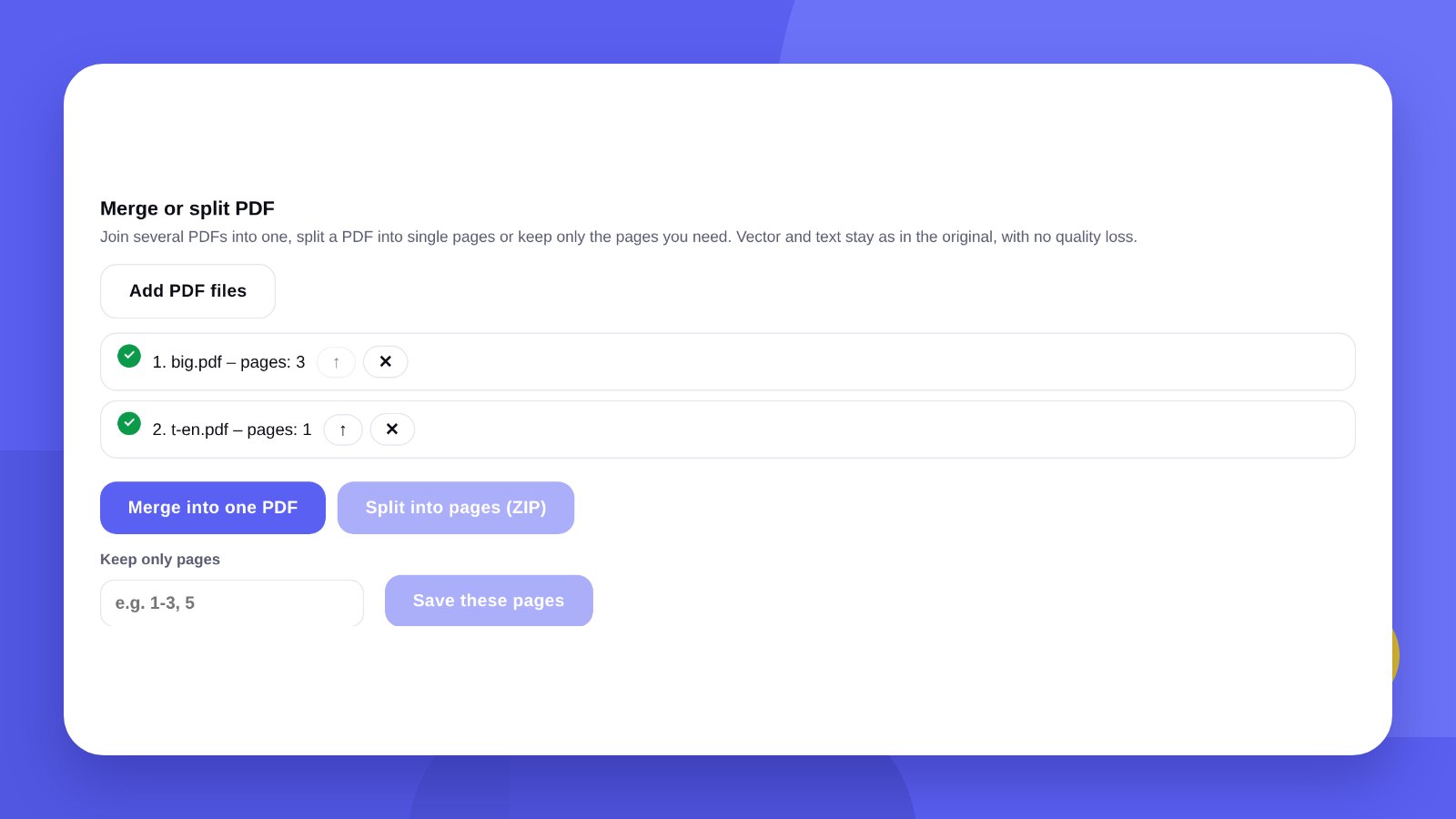
A grant application, a set of documents for a bank, a contract with appendices – everywhere they ask for “one PDF file”. But the documents sit separately: a passport scan, a statement, a certificate, a budget. And the reverse happens too: you need only a few pages from a large PDF.
You do not need paid software for this. You can merge and split PDFs in the browser – pages are carried over as they are, without recompression.
- Merging does not reduce quality: text stays text, vector stays vector.
- The order of the files can be changed before joining.
- To keep part of a document, list the pages: for example 1-3, 5.
How-toHow to merge PDF files: 3 steps
- Open the toolGo to PDF to Word and Excel and find the “Merge or split PDF” block.
- Add the filesPress “Add PDF files” and choose several documents. The arrow next to a name moves a file up; the cross removes it.
- Press “Merge into one PDF”The finished file downloads to your device at once.
How-toHow to split a PDF or extract pages
Into single pages. Add a PDF and press “Split into pages (ZIP)”: each page becomes a separate file in an archive.
Only the pages you need. In the “Keep only pages” field enter the numbers: “1-3, 5” means pages one to three and page five. Press “Save these pages” and you get a new PDF with only those.
Unwanted pages are removed the same way: if you do not need page four out of ten, enter “1-3, 5-10”.
PracticeWhen you need this
- Submitting documentsPortals, banks and tender platforms often accept one file per document.
- A contract with appendicesA contract, a specification and a delivery note in one file are easier to send and store.
- Portfolio and presentationSeveral pieces saved separately are joined into one PDF for a client.
- One page for signingOnly the page with signatures and company details is taken from a long contract.
- A large scanThe scanner saved every page as a separate file – they are joined into a document.
SizeWhat to do if the merged file is too large
A merged PDF weighs about as much as all its parts together. If a portal accepts up to 5 or 10 MB and yours is larger, the file can be compressed in the File compressor.
Bear in mind that compression turns pages into pictures, and the text can no longer be selected. For contracts where the text matters, it is better to split the document into two parts than to compress it hard.
TipHow to prepare documents for merging
- Rename the files01-application.pdf, 02-passport.pdf, 03-certificate.pdf – it is easier not to mix up the order.
- Check the orientationUpside-down scans are better fixed before merging.
- One page formatA4 sheets and phone photos in one file look untidy. Save photos as A4 PDFs first.
- Review the resultOpen the finished file and scroll to the end: every page is in place and in the right order.
AlternativesHow to merge PDFs without a tool
On Mac. Open a PDF in Preview, switch on thumbnails and drag pages from another file into the sidebar.
On Windows. There is no built-in tool. You can “print” documents to PDF from a browser, but that only works within one file.
Paid PDF editors. They can do more – edit text, for example. For simple joining they are not needed.
HonestlyThe tool joins pages. How documents look is a separate job
The tool merges and splits pages as they are: it does not align margins, add page numbers or design the document.
If a commercial proposal, price list or presentation has to look on-brand, you need templates in your brand style. We design them: print and document design.
Before sending, open the merged file on a phone. If it opens and reads well there, the recipient will have no problems either.
FAQFAQ
Will quality drop after merging?
No. Pages are carried over unchanged: text stays text and images are not recompressed.
Can I change the order of the files?
Yes. The arrow next to a name moves the file up the list.
How do I extract one page from a PDF?
Add the file, enter the page number in the “Keep only pages” field and press “Save these pages”.
Are documents uploaded to a server?
No. Files are processed in your browser and are not sent anywhere.
Can I merge a password-protected PDF?
No. First remove the protection in the program the document was created in.
Can I merge a PDF and a photo?
The tool works with PDF files. Save the photo as a PDF first.
We will design templates for a commercial proposal, price list and letterhead in your brand style.
Merge PDFOrder a designHigh quality
Years of experience let us take on projects of any complexity
Individual approach
Every client is unique. We create a unique concept for each of them
Professionals
Everyone on our team has extensive experience in advertising, development and design
Fast turnaround
Logo design takes 2–8 business days
GET IN TOUCH
Message us on Telegram, Instagram or by email – we reply quickly and gladly.