
Wi-Fi QR code: guests connect without typing a password
Instead of “what is the Wi-Fi password?” – a sign on the table. A guest points the camera and the phone joins the network. How to make such a code in a minute and where to put it.
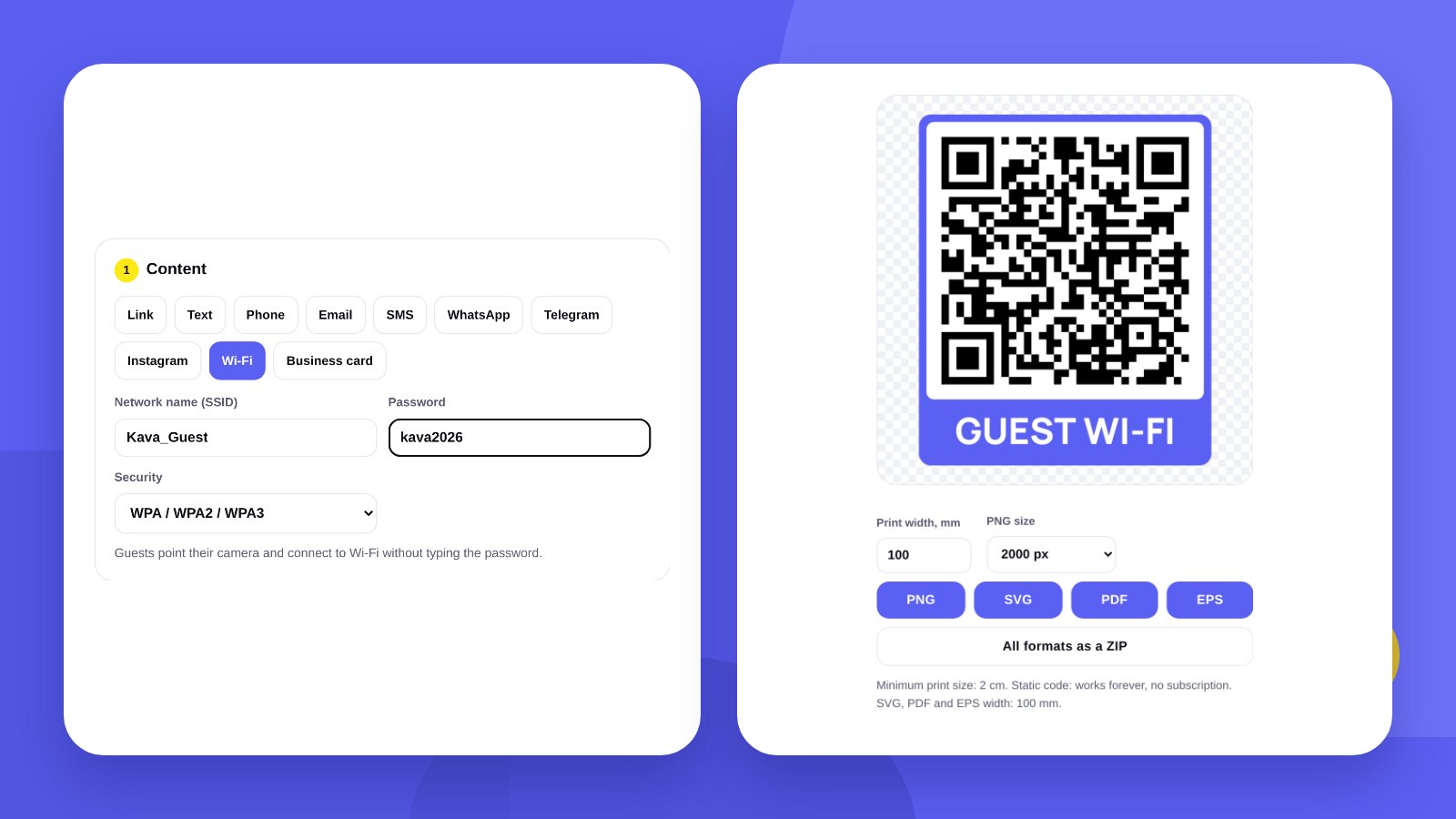
Cafes, salons, coworking spaces, hotels, waiting rooms – guests everywhere ask for the Wi-Fi password. Staff spell it out, guests mistype a letter, and it all starts again. A QR code removes that conversation: the phone camera reads the network name and password and offers to connect.
The code holds no link to a website or service. The network details are written into the code itself, so it works offline, without a subscription and without an expiry date.
- A Wi-Fi QR code contains the network name, the password and the security type.
- Cameras on modern iPhones and Android phones read it without extra apps.
- Changed the password? Make and print a new code – the old one will no longer connect.
BasicsWhat a Wi-Fi QR code contains
| Field | What to enter |
|---|---|
| Network name (SSID) | Exactly as it appears in the list of networks: upper and lower case, spaces and underscores |
| Password | The guest network password. Upper and lower case matter |
| Security | WPA / WPA2 / WPA3 – for almost all modern routers. WEP – for very old ones. No password – for an open network |
The security type is shown in the router settings. If you are not sure, keep WPA: the vast majority of networks use it.
How-toHow to make a Wi-Fi QR code: 4 steps
- Open the generatorGo to QR code with logo and choose the Wi-Fi tab.
- Enter the network detailsNetwork name, password and security type. The code appears at once.
- Add a caption and logoA ready caption “Guest Wi-Fi” or your own text up to 40 characters. A logo in the centre is optional.
- Check and downloadThe tool checks that the code scans. Download PNG, SVG, PDF or EPS and point your own phone at it.
PlacementWhere to put a Wi-Fi QR code
| Place | How to present it |
|---|---|
| Cafe table | A table tent or a sticker on the napkin holder |
| Reception, checkout | A sign next to the card terminal – everyone looks there |
| Hotel room | A card by the bed or on the door |
| Waiting area | A poster on the wall at eye level |
| Menu | A separate block on the first or last page |
Keep the network name and password as text next to the code. Some people scan, others find it easier to type – for example on a laptop.
PrintWhat size to print the code
For a table sign 3–5 cm is enough: guests scan from arm’s length. A wall poster scanned from a few metres needs a bigger code – roughly 1 cm for every 10 cm of distance.
The tool shows the minimum print size under each code. Vector SVG, PDF and EPS stay sharp at any size, so send those to the print shop.
SecurityKeep the guest network separate
Anyone who takes a photo of the code gets the password. That is why guests are better off on a separate guest network: most routers can switch one on in the settings. The till, accounting computers and security cameras stay on the work network, which guests never reach.
If you change the password from time to time, plan how to replace the sign quickly: a sticker or an insert in a frame is easier to swap than a code printed on a menu.
HonestlyThe tool makes the code. We design the sign in your brand style
The generator gives you the QR code with a caption. A table sign, a door sticker or a menu page should look like part of your place: brand colours, typeface, logo.
We design print materials in your brand identity: print design. No logo yet? Start with a logo.
A guest who got online quickly is more likely to tag your place in a story. Put your Instagram handle next to the code.
FAQFrequently asked questions
Is it free to make a Wi-Fi QR code?
Yes. No sign-up, all formats download for free.
Will the code stop working over time?
No. It is a static code: the details are written into it. It works as long as the network name and password stay the same.
Does a guest need a separate app?
Usually not. Cameras on modern iPhones and Android phones read Wi-Fi codes and offer to connect.
What if I change the password?
Make a new code with the new password and replace the sign. The old code will no longer connect.
Can I add a logo to the code?
Yes. The tool places the logo in the centre and checks that the code still scans.
Does the tool see my password?
The code is created in your browser; network details are not sent anywhere.
We design signs, stickers and menus in your brand identity with your logo.
Make a QR codeOrder print designHigh quality
Years of experience let us take on projects of any complexity
Individual approach
Every client is unique. We create a unique concept for each of them
Professionals
Everyone on our team has extensive experience in advertising, development and design
Fast turnaround
Logo design takes 2–8 business days
GET IN TOUCH
Message us on Telegram, Instagram or by email – we reply quickly and gladly.