
How to move a table from Word to Excel and from Excel to Word
A supplier sends a price list in Word, the accountant asks for Excel, the lawyer wants the table inside a contract. Three ways to move tables and what to check afterwards.
Word is convenient for text, Excel for numbers. But documents travel between people in the form that was convenient to create, not to process. A supplier sends a price list in Word, the accountant asks for Excel, and the lawyer wants the table inside a contract.
Moving one small table is easy. The difficulties start when there are ten tables, cells hold several lines of text, and the totals somehow do not add up after the move.
- One simple table is quickest to copy and paste.
- If there are many tables or numbers have turned into text, it is faster to transfer the whole file.
- After the move, check numbers, dates and codes with leading zeros.
ComparisonThree ways to move a table
| Way | When it fits | Drawback |
|---|---|---|
| Copy and paste | One or two simple tables | Numbers become text, merged cells break |
| Insert as an object or a link | An Excel table in a Word report that updates | The file gets heavy, the link breaks when forwarded |
| Transfer the whole file | Many tables, long price lists and reports | The result has to be checked |
How-toHow to move all tables at once: 3 steps
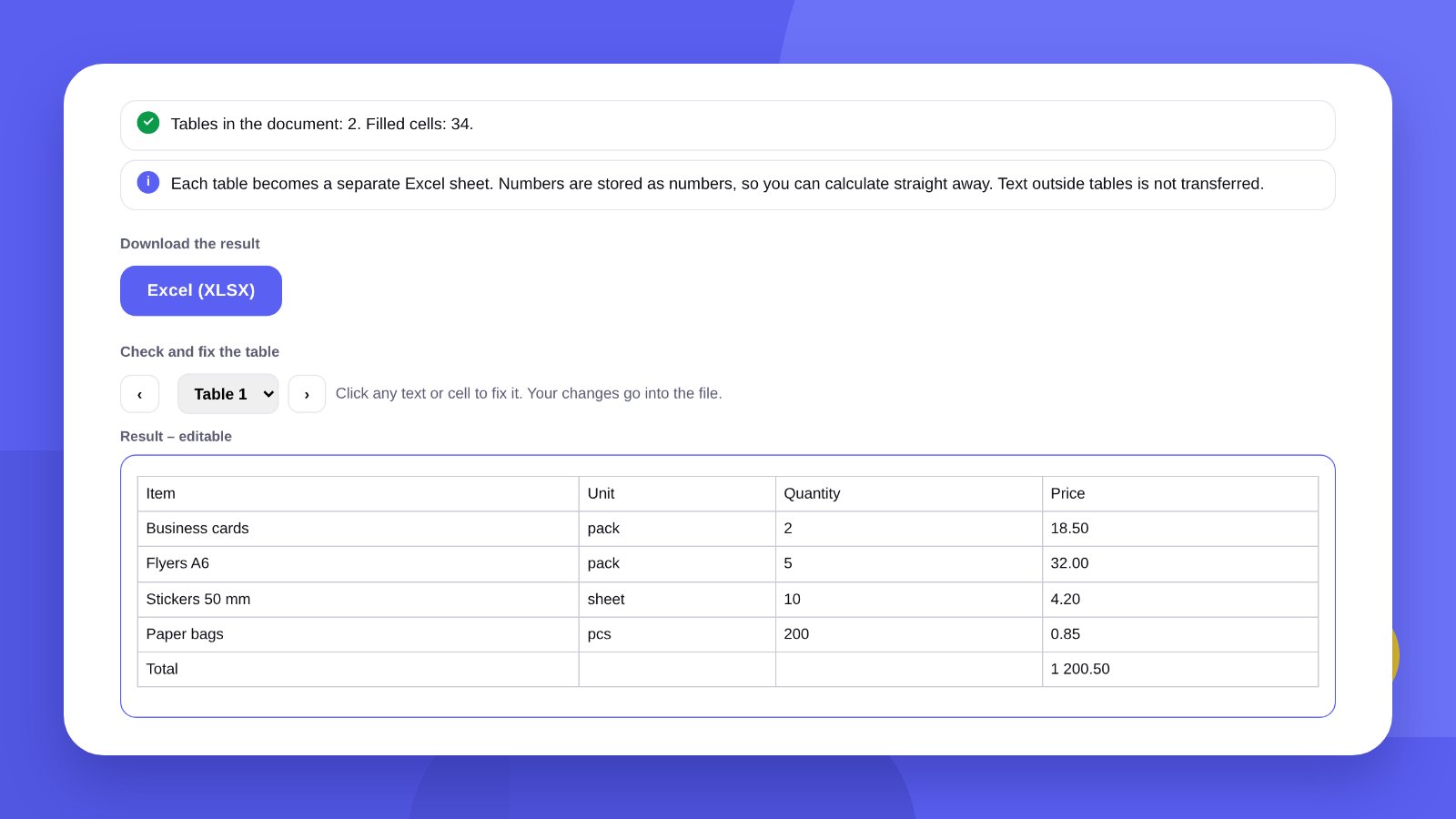
- Upload the fileOpen the Word to Excel tables tool and upload a Word document (.docx) or an Excel workbook (.xlsx).
- Check what the tool foundThe number of tables or sheets and the start of the data.
- Download the resultExcel for a Word file and Word for an Excel file.
The file is processed in your browser and is not sent anywhere – important for price lists with purchase prices and documents with company details.
By handHow to copy a table from Word to Excel properly
- Select the whole tableClick the cross icon at the top left corner of the table in Word.
- CopyCtrl + C.
- Paste into ExcelGo to the first cell and press Ctrl + V. If the formatting gets in the way, choose “Paste” → “Text only”.
- Check the numbersSelect the column with amounts: if no sum appears at the bottom of the Excel window, the numbers were pasted as text.
ProblemWhy numbers do not add up after the move
The most common complaint is “the sum does not calculate in Excel”. There are several causes.
A space between thousands. In Word people write “12 500.00”. For Excel that is text: it does not understand a space inside a number, especially a non-breaking one.
The wrong decimal separator. Some regional settings use a comma for decimals and others a point. With the wrong one, Excel may read “12.50” as a date – 12 May.
Units in the cell. “150 USD” or “20 pcs” is text. Units belong in the column heading.
How to fix it. Select the column → “Data” → “Text to Columns” → “Finish”. Or use “Find and Replace”: replace the space with nothing.
The tool does this itself: amounts such as “7 900.50” are written as numbers, while codes with leading zeros and phone numbers stay as text so the zeros do not disappear.
Excel to WordHow to insert an Excel table into Word
Ordinary paste. Copy the range in Excel and paste it into Word. The table becomes an ordinary Word table: it can be edited, but the formulas disappear.
A wide table. If there are many columns, the table runs past the page margins. Landscape orientation, a smaller font or “AutoFit” → “AutoFit to Window” help.
As a picture. “Paste” → “Picture”. Handy for a report nobody will edit, but the text in such a table cannot be selected or searched.
The whole file. If the workbook has several sheets, the tool transfers each sheet as a separate table with a caption.
CheckWhat to check after the move
Merged cells. A header with merged cells gets in the way of sorting and filters in Excel. Unmerge them before working with the data.
Several lines in one cell. A line break inside a Word cell sometimes splits it into several Excel rows.
Dates. Check that “03.04.2026” is the third of April and not the fourth of March.
Totals. Compare the grand total with the original. If it matches, the table was moved correctly.
AlternativesGoogle Sheets, LibreOffice and other software
Google Docs and Sheets. A table is copied between them just as between Word and Excel: select, copy, paste. The problems with numbers are the same.
LibreOffice. The free office suite opens both .docx and .xlsx. Copying between Writer and Calc works the same way.
Finished files. The .xlsx file from the tool opens in Excel, Google Sheets and LibreOffice Calc; the .docx file – in Word, Google Docs and LibreOffice Writer.
TipHow to prepare a Word table so it moves cleanly
- One header rowColumn names in the first row, with no merged cells.
- One value per cellPrice separately, unit separately, quantity separately.
- No empty rowsExcel takes an empty row in the middle of a table as the end of the data.
- Numbers without lettersNot “1 200 USD” but “1200” in a “Price, USD” column.
- The total in the last rowIt is easy to check after the move.
HonestlyThe tool moves the data. A good-looking price list is a separate job
The tool moves tables between Word and Excel: cell values, without colours, formulas or charts. It does not design the document.
A price list or commercial proposal that a client enjoys opening – with a logo, brand colours and a clear structure – is what we design: print and document design.
The most reliable check is the total. The column sum in Excel must match the “Total” row in the source document.
FAQFAQ
How do I move a table from Word to Excel without losing formatting?
Copy the table and paste it into Excel keeping the source formatting. If there are many tables, transfer the whole file with the tool.
Why did numbers become text after pasting?
Because of spaces between thousands, the wrong decimal separator or units of measurement in the cell. Remove them and Excel recognises the numbers.
Can I transfer an old .doc or .xls file?
The tool works with .docx and .xlsx. Open the old file in Word or Excel and save it in the new format.
Are Excel formulas kept in Word?
No. Values are moved to Word, not formulas.
Are pictures from the document transferred?
No, only tables with text and numbers.
What if the table is in a PDF?
Use the PDF to Word and Excel tool: it extracts tables from PDFs, including scans.
We will design document templates in your brand style: price list, commercial proposal, letterhead.
Move tablesOrder a designHigh quality
Years of experience let us take on projects of any complexity
Individual approach
Every client is unique. We create a unique concept for each of them
Professionals
Everyone on our team has extensive experience in advertising, development and design
Fast turnaround
Logo design takes 2–8 business days
GET IN TOUCH
Message us on Telegram, Instagram or by email – we reply quickly and gladly.